
Interactive 3D simulators for electric machines and electronics
Open a motor, generator, transformer or semiconductor, change its real parameters and watch the 3D model and live charts respond.
- Free
- No sign-up
- 6 languages
- Classroom-ready
Find a simulator
Search by name or topic, or filter by category. Popular models come first.
22 simulators


Built for classrooms
From the projector to the homework folder
Everything a teacher or student needs to take an experiment out of the browser.
Share a link
Send an exact setup to your class. Paste the link into Google Classroom, your LMS or a chat and everyone sees the same experiment.
PDF report
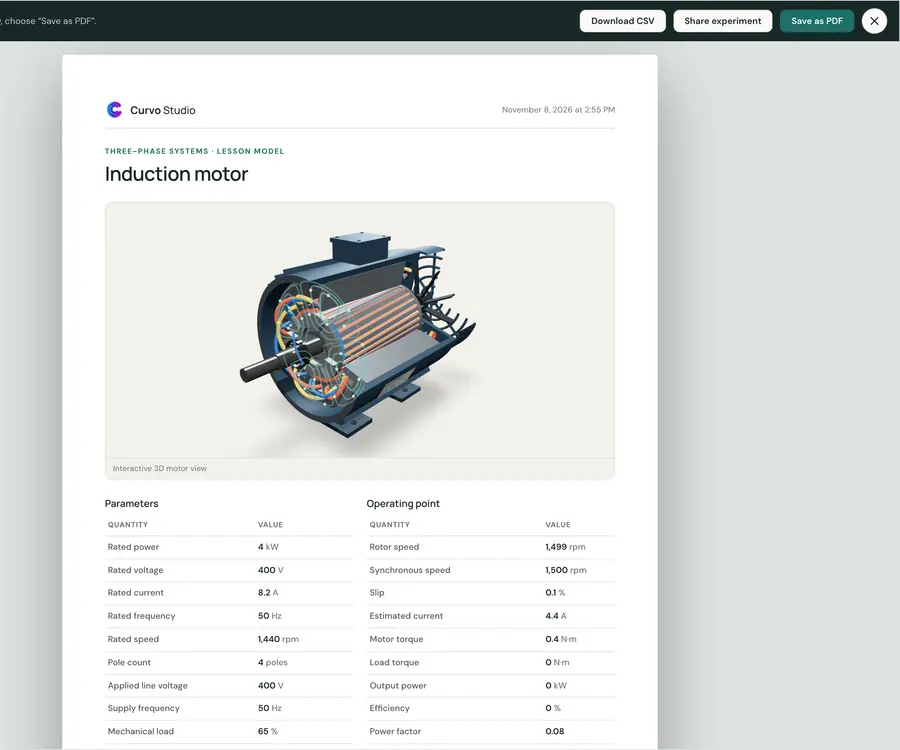
Export parameters, readings, curves and a 3D snapshot as a one-page PDF, or download the data as CSV.
6 languages
English, Türkçe, Español, Português, Deutsch and Italiano, switchable at any time.
Learn with guides
Short, practical explanations that go with the simulators.
What is Curvo Studio?
Curvo Studio is a free, browser-based app with interactive 3D simulators for motors, diodes, LEDs, MOSFETs and transformers. See what it does and who it is for.
Read the guide →How the simulations in Curvo Studio work
The equations behind each Curvo Studio simulator, from the Shockley diode model to motor slip, and why they are lesson models rather than SPICE simulations.
Read the guide →Using Curvo Studio in the classroom
Ideas for teachers: live demos, student activities and PDF or CSV lab reports with Curvo Studio's free browser-based electronics and electrical simulators.
Read the guide →